
blueprints.utils.lattice module#
Construction and Attachement#
Lattices are a blueprints native Thing. They are not part of the mujoco xml but rather
a convenience object to help generate copies of a MoveableThing
arranged in a grid. Attaching a Lattice to any NodeThing results
in its components being attached instead. A Lattice can also be constructed from another Lattice
>>> world   = blue.World()
>>> box     = blue.geoms.Box(z=0.5, color='grey')
>>> lattice = box.lattice(directions=[[2, 0, 0], [0, 1.5, 0]], repetitions=[4, 5])
>>> world.attach(lattice)
>>> world.attach(blue.geoms.Plane(color='white'), blue.Light(z=10))
<worldbody>
        <light cutoff="360.0" name="anonymous_light" pos="0.0 0.0 10.0" />
        <geom size="0.5 0.5 0.5" type="box" name="anonymous_box_(0)" pos="0.0 0.0 0.5" />
        <geom size="0.5 0.5 0.5" type="box" name="anonymous_box_(1)" pos="2.0 0.0 0.5" />
        <geom size="0.5 0.5 0.5" type="box" name="anonymous_box_(2)" pos="4.0 0.0 0.5" />
        <geom size="0.5 0.5 0.5" type="box" name="anonymous_box_(3)" pos="6.0 0.0 0.5" />
        <geom size="0.5 0.5 0.5" type="box" name="anonymous_box_(4)" pos="0.0 1.5 0.5" />
        <geom size="0.5 0.5 0.5" type="box" name="anonymous_box_(5)" pos="2.0 1.5 0.5" />
        <geom size="0.5 0.5 0.5" type="box" name="anonymous_box_(6)" pos="4.0 1.5 0.5" />
        <geom size="0.5 0.5 0.5" type="box" name="anonymous_box_(7)" pos="6.0 1.5 0.5" />
        <geom size="0.5 0.5 0.5" type="box" name="anonymous_box_(8)" pos="0.0 3.0 0.5" />
        <geom size="0.5 0.5 0.5" type="box" name="anonymous_box_(9)" pos="2.0 3.0 0.5" />
        <geom size="0.5 0.5 0.5" type="box" name="anonymous_box_(10)" pos="4.0 3.0 0.5" />
        <geom size="0.5 0.5 0.5" type="box" name="anonymous_box_(11)" pos="6.0 3.0 0.5" />
        <geom size="0.5 0.5 0.5" type="box" name="anonymous_box_(12)" pos="0.0 4.5 0.5" />
        <geom size="0.5 0.5 0.5" type="box" name="anonymous_box_(13)" pos="2.0 4.5 0.5" />
        <geom size="0.5 0.5 0.5" type="box" name="anonymous_box_(14)" pos="4.0 4.5 0.5" />
        <geom size="0.5 0.5 0.5" type="box" name="anonymous_box_(15)" pos="6.0 4.5 0.5" />
        <geom size="0.5 0.5 0.5" type="box" name="anonymous_box_(16)" pos="0.0 6.0 0.5" />
        <geom size="0.5 0.5 0.5" type="box" name="anonymous_box_(17)" pos="2.0 6.0 0.5" />
        <geom size="0.5 0.5 0.5" type="box" name="anonymous_box_(18)" pos="4.0 6.0 0.5" />
        <geom size="0.5 0.5 0.5" type="box" name="anonymous_box_(19)" pos="6.0 6.0 0.5" />
        <geom size="0.0 0.0 1.0" type="plane" name="anonymous_plane" rgba="1.0 1.0 1.0 1.0" />
</worldbody>
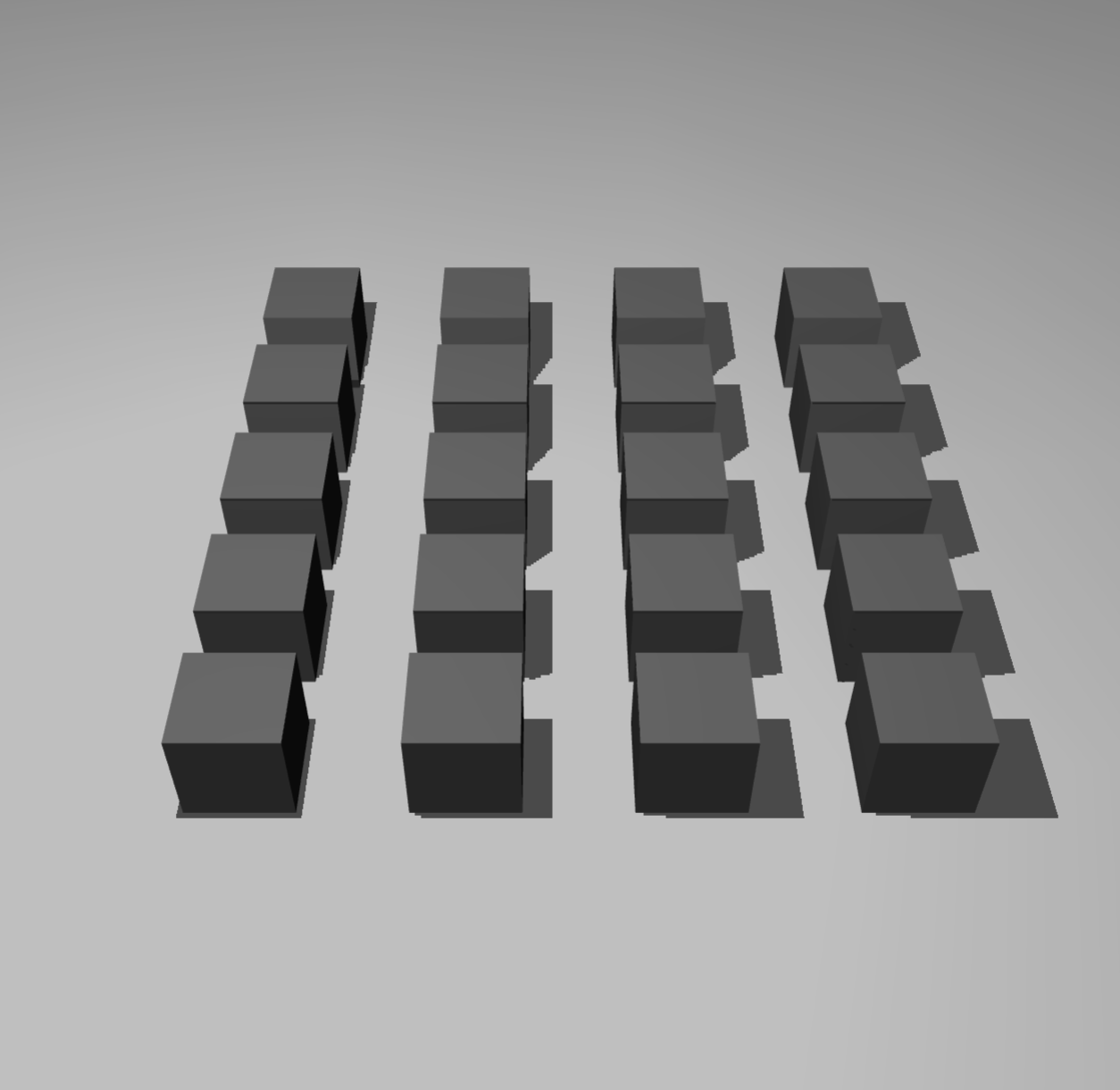
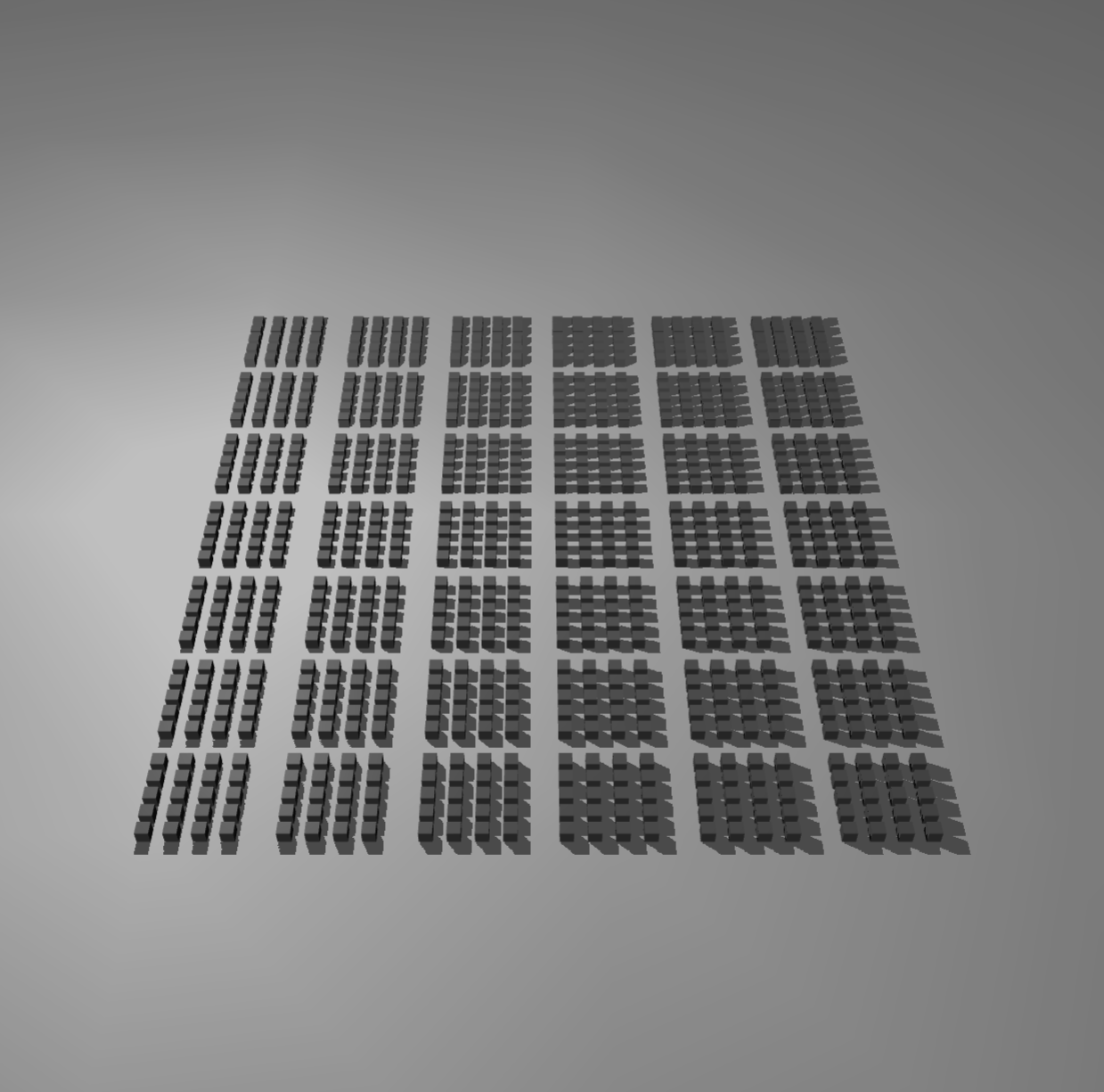
This Lattice made from a Lattice of a Box is istelf ofcause just a Lattice of a Box constructed by joining
the axis of the two Lattices: lattice_A \(\cong\) lattice_B
>>> lattice_B = blue.Lattice(box, directions=[[ 2., 0.0, 0.],
>>>                                           [ 0., 1.5, 0.],
>>>                                           [10., 0.0, 0.],
>>>                                           [ 0., 9.0, 0.]],
>>>                               repetitions=[4, 5, 6, 7])
Indexing and Attributes#
A Lattice can be indexed via tuples of integer and slices. If less axes are indexed than contained by
the Lattice, the last axes are retrieved fully. Indexed Lattices utilize a LatticeView
which handles attribute retrieval and setting.
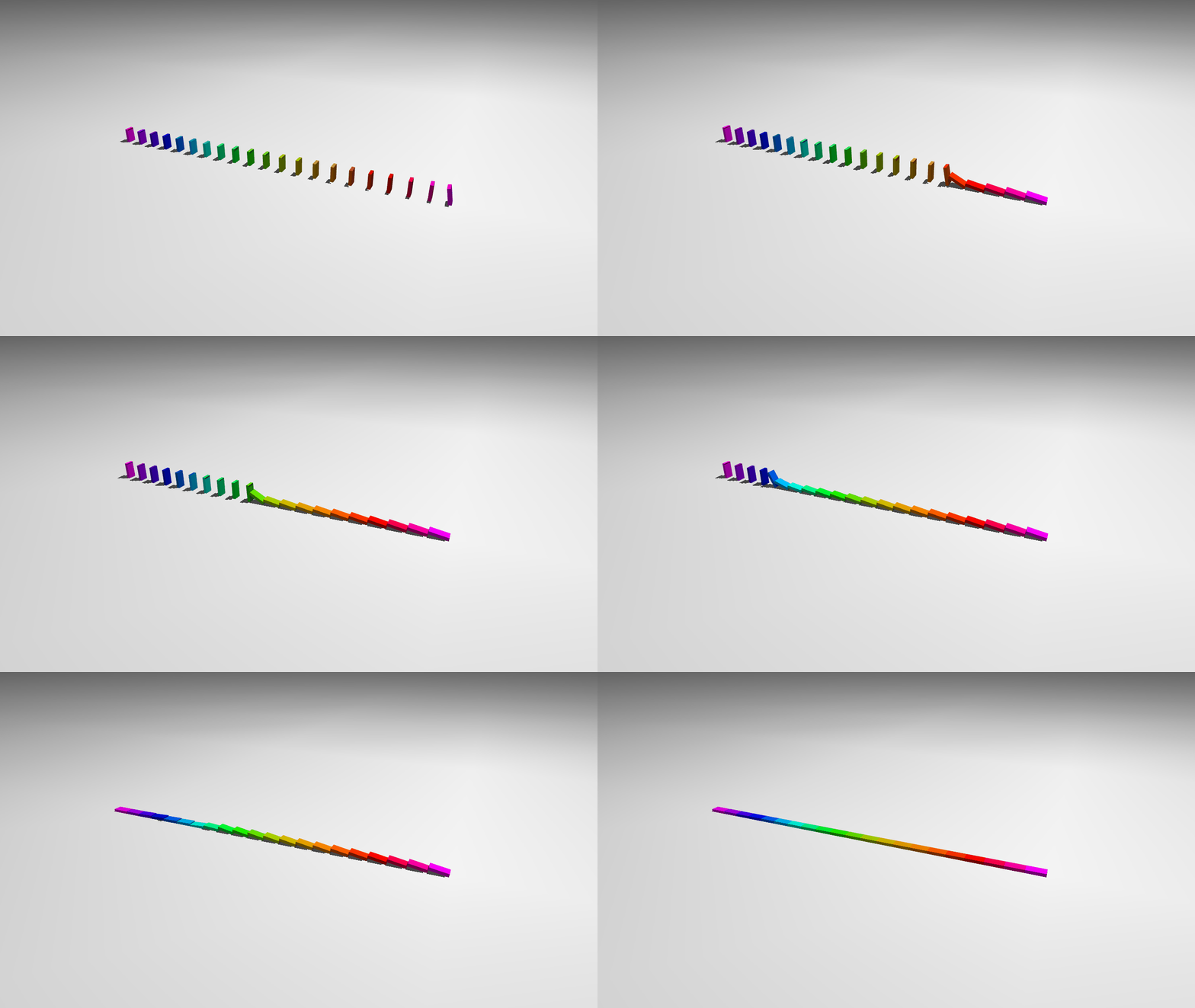
>>> box = blue.geoms.Box(x_length=0.03,
>>>                      y_length=0.01,
>>>                      z_length=0.06,
>>>                      color='grey')
>>> domino = blue.Body(geoms=box,
>>>                    joints=blue.joints.Free(),
>>>                    z=0.02)
>>> row = domino.lattice([0, 0.06, 0], [20])
>>> row[0].alpha = -TAU/32
>>> row[0].y = 0.0075
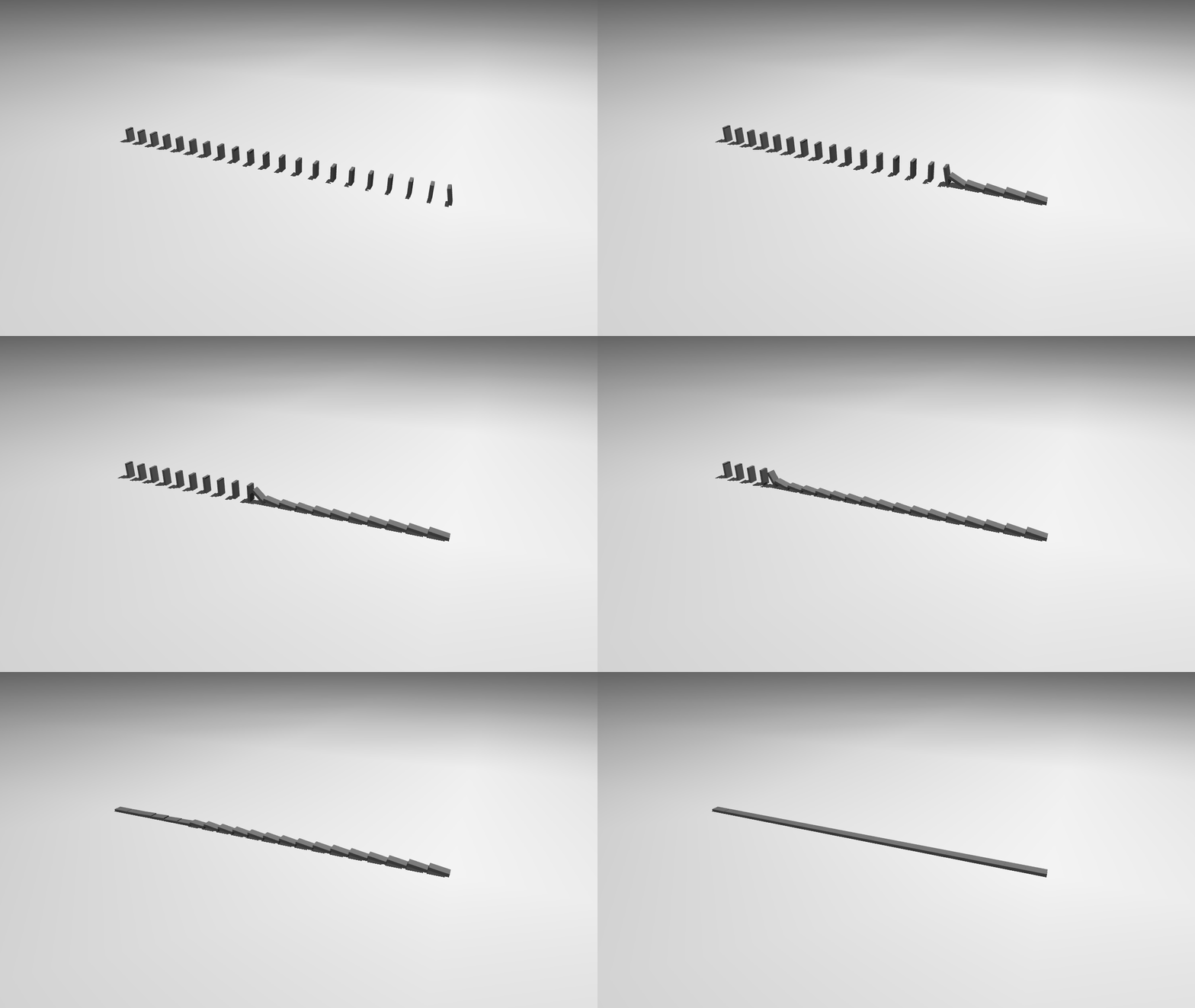
In the above example, we start the domino chain by tipping over a single Body indexed by row[0].
We can instead also modify multiple ellements with a single value, setting every second domino color to 'black' and 'white'.
>>> row[0::2].geoms.color = 'black'
>>> row[1::2].geoms.color = 'white'
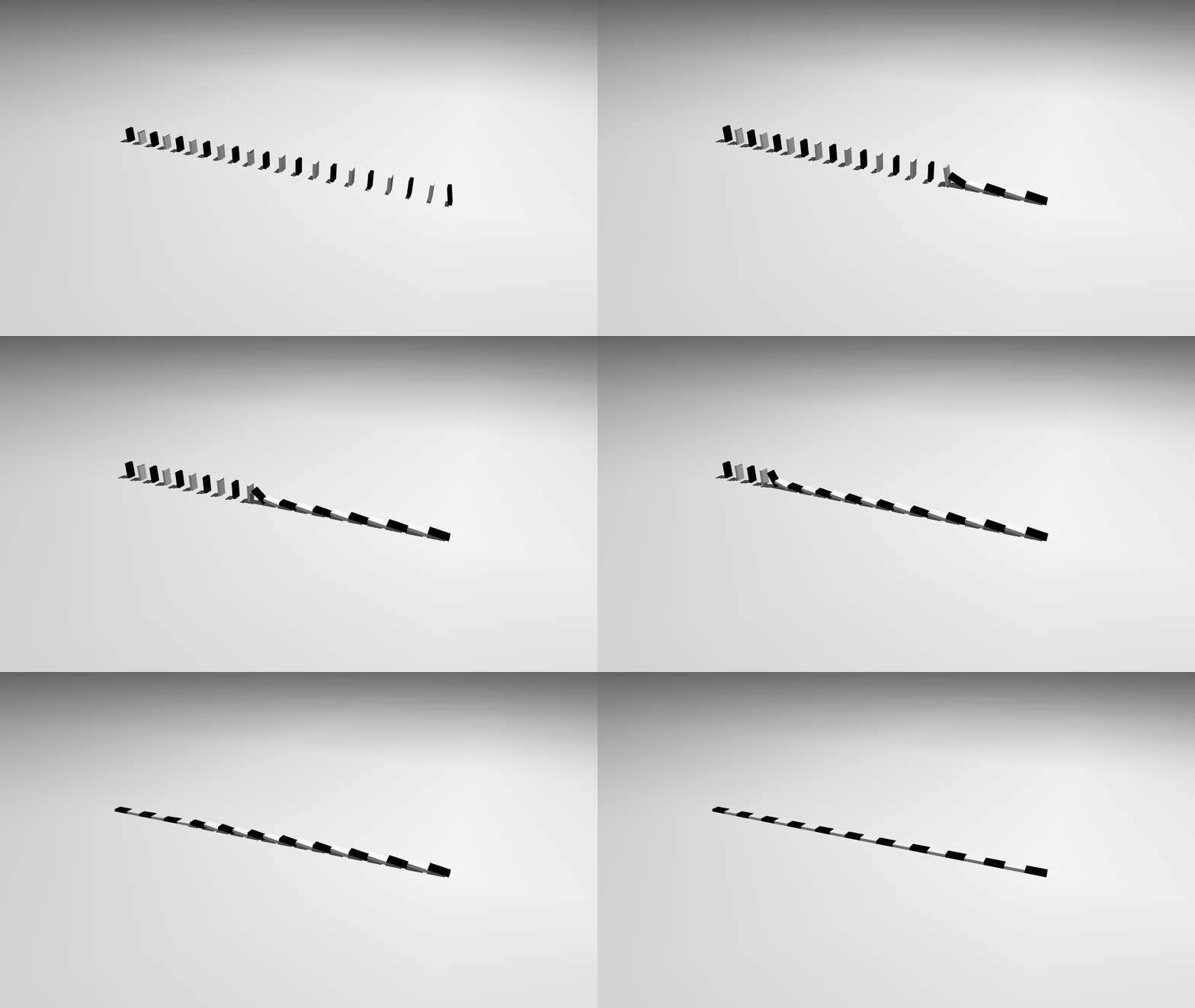
Lastly we can also assign many values to many elements by providing a list which is mapped one to one to the Lattices components. We create a gradient of rainbow colors in the same shape as the Lattice.
>>> rainbow = blue.gradient('purple', 'red', 'orange', 'yellow', 'green', 'teal', 'blue', 'purple', n_steps=20)
>>> row.color = rainbow
- class blueprints.utils.lattice.Lattice[source]#
Bases:
LatticeTypeA Lattice is constructed from a Thing, a set of directions or axes and the number of repetitions. Lattices are not mujoco objects but blueprints utility.
- __init__(thing, directions, repetitions, name=None)[source]#
- Parameters:
thing (
blue.MoveableThingType | blue.LatticeType) – This Thing will consitute the content of the Latticedirections (
list [ float | int ] | np.ndarray | list [ list [ int | float ] ] | list [ np.ndarray ]) – A list of axes pointing into the directions of the Lattice.repetitions (
int | list [ int ] | np.ndarray) – A list of repetitions for each axis with the same length asdirectionsname (
str | None) – The name of the Lattice (used for displaying purposes).
- Return type:
None
- property n_dim: int#
The number of dimensions in the Lattice
- Return type:
int
- lattice(directions, repetitions, name=None)[source]#
A Lattice created with the parent Lattice as its content Thing (see examples above).
- Return type:
blue.LatticeType- Parameters:
directions (list[float | int] | ndarray | list[list[int | float]] | list[ndarray])
repetitions (int | list[int] | ndarray)
name (str | None)
- copy(**kwargs)[source]#
- Parameters:
kwargs (
dict) – The keyword arguments are passed to the individual component Things copy method.- Returns:
A fresh copy of the Lattice
- Return type:
blue.LatticeType
- shift(pos=None, x=None, y=None, z=None, **kwargs)[source]#
This method creates a copy that is shifted by
pos.- Parameters:
pos (
list[int | float] | np.ndarray | blue.MoveableThingType | None) – The amount by which the Thing is shifted, optionally anotherMoveableThingcan be passed in which case the position of this Thing is taken.globally (
bool, optional) – Determining whether the shift is relative to the local orientation or the global orientation.x (
int | float | np.int32 | np.int64 | np.float32 | np.float64 | None) – This argument can be set if just the X component of the position is to be changed.y (
int | float | np.int32 | np.int64 | np.float32 | np.float64 | None) – This argument can be set if just the Y component of the position is to be changed.z (
int | float | np.int32 | np.int64 | np.float32 | np.float64 | None) – This argument can be set if just the Z component of the position is to be changed.**kwargs – Keyword arguments are passed to the
copy().
- Returns:
A shifted copy is returned.
- Return type:
blue.LatticeType
- locate(pos=None, x=None, y=None, z=None, **kwargs)[source]#
This method creates a copy that is relocated to
pos.- Parameters:
pos (
list[int | float] | np.ndarray | blue.MoveableThingType | None) – The position to which the Thing is shifted, optionally anotherMoveableThingcan be passed in which case the position of this Thing is taken.globally (
bool, optional) – Determining whether the relocation is relative to the local orientation or the global orientation.x (
int | float | np.int32 | np.int64 | np.float32 | np.float64 | None) – This argument can be set if just the X component of the position is to be changed.y (
int | float | np.int32 | np.int64 | np.float32 | np.float64 | None) – This argument can be set if just the Y component of the position is to be changed.z (
int | float | np.int32 | np.int64 | np.float32 | np.float64 | None) – This argument can be set if just the Z component of the position is to be changed.**kwargs – Keyword arguments are passed to
copy().
- Returns:
A relocated copy is returned.
- Return type:
blue.LatticeType